1 min to read
Turning Caps Lock Into a More Powerful Button
Reclaim some of the most valuable space on your keyboard

What if one of the least useful keys on your keyboard could become one of the most useful?
Reclaiming Caps Lock
Caps Lock occupies some of the easiest pinky keyboard real estate, but most people rarely use it. Meanwhile, genuinely useful keys are stuck at the edges of the keyboard. Escape sits all the way in the upper-left corner, and backslash, which is used constantly in LaTeX, is on the opposite side. Keyboard shortcuts can be even worse, requiring awkward combinations of several keys.
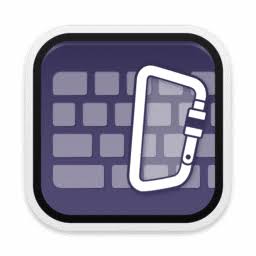
Karabiner-Elements offers a solution. It is a free keyboard customization tool for Mac. macOS can natively swap the behavior of modifier keys, but the available options are limited. Karabiner gives you much more control, allowing a key or key combination to produce an entirely different input.
Turn Caps Lock Into Whatever You Need
To give you an idea of what is possible, here is how I use it: I map Caps Lock to F18, a key that does not exist on my physical keyboard but can still be used as a virtual key. I then configured my voice-to-text tool, Handy, to start listening when I press F18. The result is that I can press and hold Caps Lock to type with my voice!
That is only one possibility. You could map Caps Lock to Escape, use it to make an awkward shortcut easier, or turn it into a button for another tool you use every day.
If Caps Lock is going unused on your keyboard, check out Karabiner-Elements and give that valuable key a better job. If you find a useful way to remap it, please let me know what you turned it into!
For more useful tools and ideas like this, you can also subscribe to my newsletter.





Comments